
How to Prepare Your Home Office for a Remote Job Interview
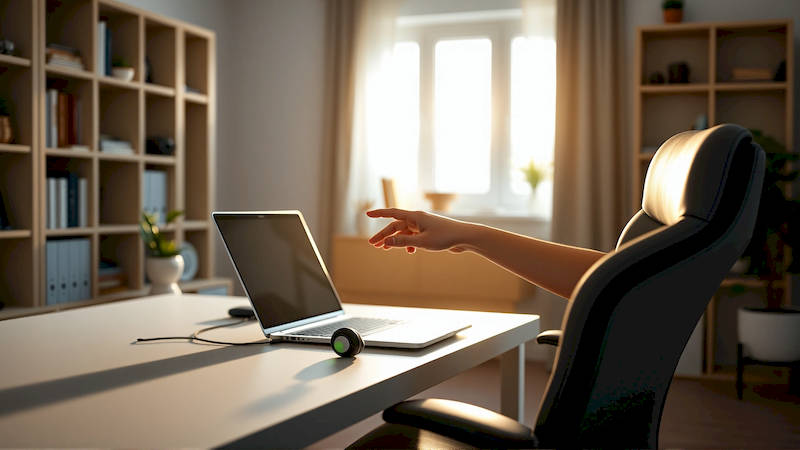
The rise of remote work has fundamentally altered the job landscape. What was once a niche benefit is now a mainstream expectation for many roles, opening opportunities for both workers and employers across geographical boundaries. However, succeeding in a remote job search demands more than just a stellar resume and impressive skills. The remote interview, and subsequently, the initial onboarding experience, rely heavily on your ability to present a professional and functional workspace. This isn’t simply about aesthetics; it's about demonstrating your preparedness, professionalism, and ability to thrive in a distributed work environment. Failing to adequately prepare your home office for an interview can subtly signal a lack of seriousness or organizational skills, potentially costing you the opportunity.
The significance of the virtual backdrop is amplified because it's often the only impression an interviewer has of your work life. Unlike in-person interviews, where recruiters can glean insights from the office environment, remote interviews rely exclusively on the visual information conveyed through the camera. A cluttered, distracting, or poorly lit space can detract from your qualifications, while a well-organized and professional setup can reinforce a positive image. This preparation extends beyond just the visual – it also encompasses the technical infrastructure of your home office, ensuring a seamless and stress-free interview experience.
This article will provide a comprehensive guide to preparing your home office specifically for a remote job interview, covering everything from background optimization and lighting to technology checks and minimizing distractions. We’ll move beyond superficial tips and delve into the practical steps you can take to create a workspace that projects competence, professionalism, and a genuine readiness to excel in a remote role. Beyond the interview itself, we’ll also touch upon how setting up your office strategically before the interview begins lays a solid foundation for successful onboarding if you land the job.
Defining Your Interview Space: Location, Location, Location
The first step in preparing your home office for a remote interview is choosing the right location. Don't simply default to the first available space; consider factors beyond convenience. Often, the living room or kitchen table might seem practical, but these areas are prone to interruptions and visual clutter. Ideally, select a dedicated room or corner that can be designated as your temporary "interview suite," free from high traffic and external noise. A guest bedroom, a home office, or even a corner of a larger room effectively partitioned with a backdrop can work well. Think about what will be visible behind you during the interview – a busy hallway, family members, or general disarray can be incredibly distracting for the interviewer, and unconsciously reflect poorly on your ability to maintain focus.
Beyond visual clarity, consider acoustics. Hard surfaces like walls and floors can create echoes, making it harder for the interviewer to clearly hear you. Rooms with softer furnishings, like carpets, curtains, and upholstered furniture, will absorb sound and create a more professional audio experience. If a designated room isn’t feasible, think about temporary solutions. A simple bookshelf strategically placed behind you can act as a sound barrier and a visual distraction blocker. Essentially, the goal is to create a contained and professional environment that allows the interviewer to focus solely on you and your qualifications – not your surroundings.
It's also crucial to inform housemates or family members about the interview schedule and ask for their cooperation in minimizing noise and interruptions. Place a "Do Not Disturb" sign on the door if necessary. Consider the direction of the light source. Natural light is ideal, but avoid having a window directly behind you, as it can create a strong backlight that makes you appear silhouetted. A quick test video call to a friend can help you assess the audio-visual quality and identify potential issues before the real interview.
Mastering the Technical Setup: Ensuring a Seamless Connection
A stable internet connection and functioning audio-visual equipment are paramount for a successful remote interview. A dropped connection or a garbled voice can instantly derail the conversation and create a negative impression. Before the interview, run a speed test to verify your internet connection meets the requirements of the video conferencing platform being used (Zoom, Microsoft Teams, Google Meet, etc.). Most platforms recommend a minimum download and upload speed of 5 Mbps. If your connection is unreliable, consider temporarily switching to a wired Ethernet connection for increased stability. Wi-Fi extenders or a temporary hotspot can also provide solutions.
Next, thoroughly test your webcam, microphone, and speakers. Ensure your webcam is positioned at eye level to create a natural and engaging camera presence. Practice speaking clearly and concisely, paying attention to your tone and volume. Use a headset with a microphone to eliminate background noise and improve audio quality – built-in laptop microphones often produce subpar sound. Download and install any necessary software or plugins required by the video conferencing platform well in advance. Familiarize yourself with the platform's features, such as screen sharing, chat, and virtual backgrounds. Having these basics tested beforehand will build your confidence and save you from awkward technical difficulties during the interview.
Don’t overlook power sources. Ensure your laptop or computer is fully charged or connected to a reliable power outlet. A low battery warning mid-interview is unprofessional and disruptive. Finally, close any unnecessary applications running in the background to free up bandwidth and improve your computer's performance. Think of it like prepping a physical meeting room; you wouldn’t leave piles of papers everywhere or have the phone ringing incessantly all the time.
Optimizing Your Background: A Virtual First Impression
While a dedicated room is ideal, achieving a professional background is still attainable even with limited space. Avoid backgrounds that are excessively busy, distracting, or personal. Things like dirty laundry, unmade beds, or family photos can detract from your professionalism. Neutral colors and simple decor are generally the best choice. A plain wall, a bookshelf with neatly arranged books, or a tasteful piece of artwork can create a positive impression. Remember, the background should complement you, not compete with you. Many video conferencing platforms offer virtual background options, but use them with caution.
While virtual backgrounds can be helpful, they can also be glitchy or unnatural-looking, particularly with poor lighting or a low-quality webcam. A poorly rendered virtual background can be more distracting than a simple real-world backdrop. If you do choose to use a virtual background, select a professional and understated image. Avoid anything cartoonish or overly flashy. Before the interview, test the virtual background with your webcam and microphone to ensure it integrates seamlessly. Another aspect often overlooked is the cleanliness of the space. Dust surfaces, tidy up any clutter, and ensure everything is presentable.
Remember, the interviewer is making subconscious judgments about your attention to detail and organizational skills based on your surroundings. A clean and organised background signals that you're meticulous and professional, while clutter suggests disorganisation and a lack of focus. Think about how the background would look if you were receiving a client – the same principles apply.
Minimizing Distractions: Creating a Focused Environment
Perhaps one of the biggest challenges of remote interviews is controlling the environment and minimizing distractions. This goes beyond simply asking family members to be quiet. Consider external noises like traffic, construction, or pets. If you live in a noisy area, wear noise-cancelling headphones to block out unwanted sounds. Silence your phone, turn off notifications on your computer, and close any unnecessary tabs in your web browser. Even subtle notifications can be visually distracting for the interviewer.
For families with children, having a designated childcare arrangement in place during the interview is essential. Unexpected interruptions from children can be disruptive and unprofessional. If interruptions are unavoidable, apologize briefly and politely, and then refocus on the interview. Another common distraction is household chores. Resist the urge to start a load of laundry or wash dishes during the interview. It's better to complete these tasks before the interview to ensure your full attention is focused.
According to a 2023 study by Owl Labs, “44% of remote workers report distractions as their biggest struggle.” Proactive preparation is key. Create a dedicated, distraction-free zone and communicate your needs to family members. This demonstrates respect for the interviewer’s time and indicates your ability to manage your work environment effectively.
The After-Interview Consideration: Setting Up for Onboarding
Preparing your home office isn’t just about acing the interview; it’s about setting yourself up for success should you be offered the position. If you’ve invested time and effort into creating a professional workspace, continuing that momentum into onboarding will be seamless. Having a designated space already prepared signals your commitment to remote work and allows you to hit the ground running. Consider what equipment you might need for the role – a second monitor, ergonomic keyboard and mouse, or a comfortable chair – and start acquiring those items before your start date.
Think about the logistics of integrating your work life into your home environment. How will you manage communication with colleagues? What tools and software will you be using? Having a plan in place beforehand will reduce stress and allow you to focus on learning the ropes. “Employees who feel prepared and supported during onboarding are 2.6 times more likely to be high performers," notes a 2022 report by BambooHR. This preparation reflects a proactive mindset which is incredibly valuable to any employer. Finally, take the time to organise your digital files and create a system for managing your workflow. A well-organised digital workspace is just as important as a well-organised physical one.
In conclusion, preparing your home office for a remote job interview is a critical step in the job search process. It’s not merely about aesthetics but about signalling your professionalism, preparation, and ability to thrive in a distributed work environment. From selecting the right location and optimising your background to mastering the technical setup and minimizing distractions, every detail contributes to the overall impression you make on the interviewer. By investing the time and effort into creating a dedicated and professional workspace, you not only increase your chances of landing the job but also set yourself up for a successful onboarding experience and a fulfilling remote career. Remember, you're not just showcasing your skills; you're presenting a vision of your future work life. Make it a compelling one.
Deja una respuesta