
How to Set Up a Productive Home Workspace for Your First Remote Job
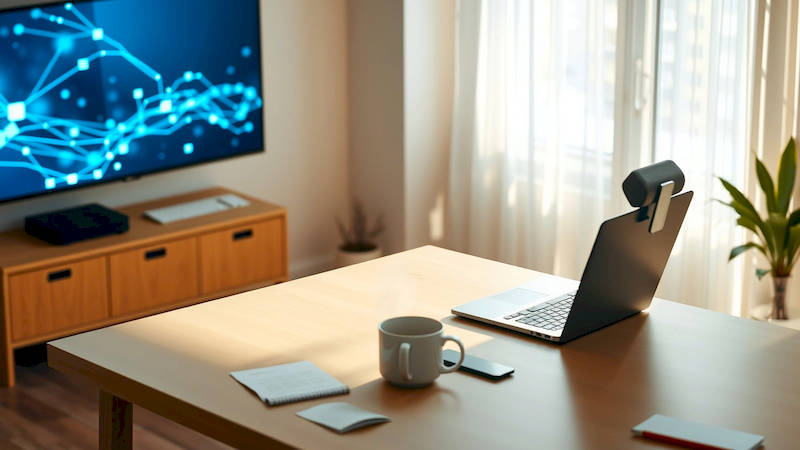
The transition to remote work is often painted with idyllic images of working in pajamas and enjoying ultimate flexibility. While these perks are real, the reality for many, especially those new to the remote landscape, involves overcoming challenges related to focus, productivity, and maintaining a healthy work-life balance. A significant key to success lies in establishing a dedicated and productive home workspace. This isn't simply about finding a quiet corner; it's about thoughtfully designing an environment that supports your concentration, well-being, and professional performance. For those landing their first remote roles, these initial setup decisions will profoundly impact their experience and long-term career trajectory.
The stakes are higher than many realize. Studies indicate that remote workers, when properly equipped and supported, can be more productive than their in-office counterparts. A 2023 Stanford study, for example, showed a 13% performance increase for remote workers. However, this productivity boost is contingent on having a suitable workspace. A makeshift setup on a couch or at a kitchen table can quickly lead to burnout, decreased efficiency, and difficulty disconnecting from work. This article will provide a comprehensive guide for beginners, outlining the key considerations and practical steps for creating a home workspace engineered for success.
This guide isn’t about expensive renovations or minimalist aesthetics. It’s about maximizing functionality, prioritizing ergonomics, and building habits that will help you thrive in your new remote position. We'll cover everything from assessing space and choosing the right equipment to creating boundaries and optimizing your environment for focus. Whether you're converting a spare bedroom or claiming a corner of your living room, this detailed guide will provide the actionable strategies you need to build a workspace that empowers you to excel in your first remote job.
- Defining Your Workspace: Space Assessment and Location
- Ergonomics First: The Foundation of Long-Term Comfort
- Equipping Your Space: Essential Technology and Supplies
- Minimizing Distractions: Establishing Boundaries and Optimizing Focus
- Cultivating Wellbeing: Integrating Movement and Personalization
- Adapting and Refining: Continuous Improvement of Your Space
- Conclusion: A Workspace for Success
Defining Your Workspace: Space Assessment and Location
The first step in creating a productive home workspace is a realistic assessment of available space. Many assume a dedicated “home office” is necessary, but that’s not always feasible, especially when starting out. A spare bedroom is ideal, offering privacy and minimizing distractions. However, equally viable options include a corner of a less-used living room, a converted closet, or even a strategically arranged area in a bedroom. The crucial element isn’t the size of the space, but how intentionally it’s designed. Prioritize identifying a location that allows for physical separation from leisure activities. Working from your bed, while tempting, blurs the lines between work and rest, making it significantly harder to maintain focus and achieve a healthy work-life integration.
Once you’ve identified potential locations, consider the environment. Natural light is incredibly beneficial for mood and productivity, so a space near a window is preferable. However, direct glare on your screen can be problematic – consider blinds or curtains to manage sunlight. Noise levels are also critical. If you live in a busy household or near a noisy street, noise-canceling headphones or a white noise machine become essential investments. Avoid areas with high foot traffic or frequent interruptions. “You really want to feel like you're going to work, even if it’s just stepping into another room," suggests remote work consultant, Jessica Stillman. “The physicality of the space can be surprisingly impactful on your mindset.”
Finally, think about long-term sustainability. Will the space meet your needs as your role evolves? Is there room to expand if necessary? Can you comfortably accommodate any necessary equipment, such as a second monitor or a printer? A little foresight during the initial planning phase will save you headaches and costly rearrangements down the road.
Ergonomics First: The Foundation of Long-Term Comfort
Ergonomics is often overlooked, especially by those new to remote work, but it’s arguably the most important aspect of workspace setup. Spending hours each day in a poorly designed setup can lead to musculoskeletal issues, chronic pain, and reduced productivity. The goal is to create a workspace that supports your natural posture, minimizes strain, and allows you to work comfortably for extended periods. This begins with a good chair. Invest in an ergonomic chair with adjustable height, lumbar support, and armrests. Avoid chairs that force you to slouch or compress your posture.
The positioning of your monitor is equally crucial. The top of the screen should be at or slightly below eye level, and the monitor should be an arm’s length away. This prevents neck strain and eye fatigue. Consider using a monitor stand to achieve the correct height. Keyboard and mouse placement also matter. Your elbows should be bent at a 90-degree angle, and your wrists should be straight and relaxed. A wrist rest can provide additional support. Don’t underestimate the power of proper lighting. Use a combination of ambient and task lighting to illuminate your workspace without causing glare. Good posture isn’t about rigidly sitting up straight; it's about supporting your body in a natural, comfortable position.
To further optimise your workplace, consider standing desks. These allow you to vary your position throughout the day, promoting better circulation and reducing fatigue. Experts recommend a ratio of 2:1 – two hours sitting, one hour standing. Many affordable standing desk converters can be placed on top of existing desks, making it easy to incorporate this ergonomic benefit without a significant investment.
Equipping Your Space: Essential Technology and Supplies
Beyond the ergonomic basics, a well-equipped workspace is crucial for efficiency. While the specific equipment will vary depending on your role, certain items are universally beneficial. A reliable internet connection is non-negotiable. Test your internet speed and consider upgrading if necessary. A dedicated headset with a microphone is essential for clear communication during meetings. Noise-canceling capabilities are a major plus. A second monitor significantly boosts productivity, allowing you to view multiple applications simultaneously.
Regarding software, ensure you have the necessary tools for your job, including communication platforms (Slack, Microsoft Teams), project management software (Asana, Trello), and any specialized applications required for your tasks. Don’t forget the practical supplies: pens, paper, sticky notes, and a good filing system. While much of our work is digital, having physical tools on hand can be surprisingly helpful for brainstorming and note-taking. "It's easy to fall into the trap of thinking everything can be done digitally," notes time management expert, Laura Vanderkam. "But sometimes, the tactile experience of writing things down can unlock creativity and improve retention."
Finally, consider a backup plan for power outages or internet disruptions. A portable power bank and a mobile hotspot can ensure you stay connected and productive even when faced with unexpected challenges. A surge protector is also a wise investment to protect your valuable electronics.
Minimizing Distractions: Establishing Boundaries and Optimizing Focus
One of the biggest challenges of remote work is maintaining focus amidst distractions. This is particularly true for beginners who are still adjusting to the transition. The first step is to establish clear boundaries with family members or roommates. Communicate your working hours and explain the importance of minimizing interruptions during those times. A visual cue, such as a closed door or a “Do Not Disturb” sign, can signal your need for uninterrupted focus. Designate specific "focus blocks" in your day, where you completely disconnect from social media, email, and other potential distractions.
Leverage technology to your advantage. Website blockers can prevent you from accessing distracting websites during work hours. Use app timers to limit your time on social media. Noise-canceling headphones or white noise can help drown out ambient sounds. Creating a dedicated workspace, as discussed earlier, is a powerful way to signal to your brain that it’s time to focus. When working from a designated area, your brain will begin to associate that space with work, making it easier to enter a productive mindset.
Consider incorporating the Pomodoro Technique – working in focused 25-minute intervals, followed by short 5-minute breaks. This can help you maintain concentration and prevent burnout. Remember to take regular breaks throughout the day to stretch, walk around, and recharge.
Cultivating Wellbeing: Integrating Movement and Personalization
A productive workspace isn't just about efficiency; it's also about wellbeing. It’s easy to become sedentary when working remotely, so it’s essential to integrate movement into your daily routine. Schedule regular breaks to stand up, stretch, or walk around. Consider using a standing desk converter for part of the day. Incorporate short exercise breaks throughout the day, such as a quick yoga flow or a few jumping jacks. Prioritize ergonomic principles to prevent physical discomfort and strain.
Personalize your workspace to create a positive and inspiring environment. Add plants, artwork, or photos that you enjoy. Choose colors that promote calmness and focus. Ensure your workspace is well-ventilated and has adequate lighting. A cluttered workspace can lead to a cluttered mind, so declutter regularly. A tidy and organized space promotes clarity and reduces stress. "Your workspace should be a reflection of you and what motivates you," says organisational psychologist, Dr. Amy Cuddy.
Don't forget the importance of separating work from personal life. Establish clear boundaries between work and leisure. When your workday is over, physically leave your workspace and engage in activities that help you relax and recharge. This will help you maintain a healthy work-life balance and prevent burnout.
Adapting and Refining: Continuous Improvement of Your Space
Setting up a productive home workspace isn't a one-time task; it's an ongoing process of adaptation and refinement. Regularly evaluate your workspace and identify areas for improvement. What's working well? What isn't? Are there any distractions that you can eliminate? Are you experiencing any physical discomfort? Don’t be afraid to experiment with different layouts, equipment, or routines.
Gather feedback from colleagues or friends. Ask them to observe your workspace and provide suggestions. Stay updated on the latest ergonomic trends and workspace design principles. Read articles, watch videos, and attend webinars on the topic. Keep a journal to track your productivity levels and identify patterns. What time of day are you most focused? What tasks are easiest to complete in your workspace? What challenges do you consistently face?
Remember, your workspace should evolve along with your needs and preferences. As your role changes or your work habits adapt, be prepared to make adjustments to your setup. Continuously improving your workspace will help you maintain peak productivity and wellbeing throughout your remote work journey.
Conclusion: A Workspace for Success
Creating a productive home workspace for your first remote job is an investment in your success. It requires thoughtful planning, attention to detail, and a commitment to continuous improvement. By prioritizing ergonomics, minimizing distractions, and cultivating wellbeing, you can transform your home into a powerful and inspiring work environment. Remember, it’s not about having the most expensive equipment or the most aesthetically pleasing space; it’s about creating a functional and comfortable environment that supports your focus, productivity, and overall wellbeing.
Key takeaways include: assess your space realistically, prioritize ergonomic principles, equip your space with essential technology, establish clear boundaries, integrate movement into your routine, and continuously refine your setup. The initial effort you put into establishing a dedicated workspace will pay dividends in terms of increased productivity, reduced stress, and a more fulfilling remote work experience. Don't underestimate the power of a well-designed workspace—it's the foundation for a thriving remote career. Start small, be intentional, and consistently adapt your space to meet your evolving needs, and you’ll be well on your way to mastering the art of remote work.
Deja una respuesta