
Top Tech Tools to Test Before Your Video Interview
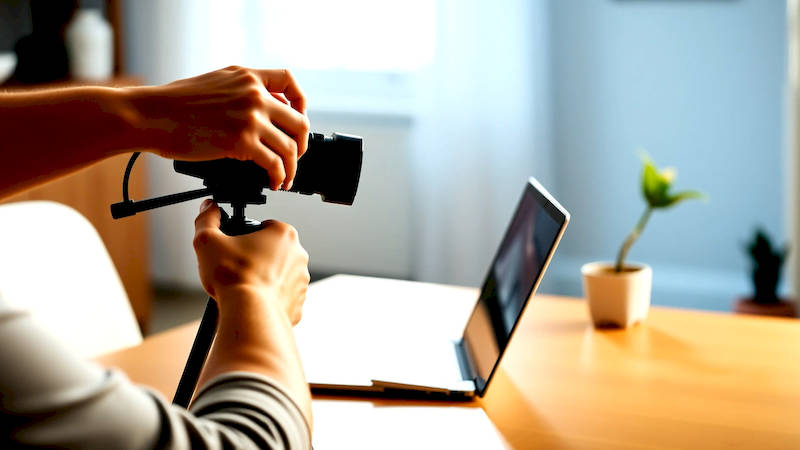
The modern job search is overwhelmingly reliant on virtual interactions, and the video interview has become a cornerstone of the hiring process. No longer a futuristic novelty, these interviews are often the first, and sometimes only, step to securing a coveted position. While perfecting your answers and researching the company remain crucial, overlooking the technological aspects of a video interview can be a fatal flaw. A technical glitch, a poor audio connection, or unfamiliarity with the platform can instantly derail your performance, regardless of your qualifications. This article provides a comprehensive guide to the essential tech tools you should test – and how to test them – before your next video interview, ensuring you present a polished and professional image. It's about more than just 'knowing' the tech; it’s about mastering it to minimize distractions and maximize your impact.
The pressure to perform during a video interview is already significant, and adding technological concerns to that stress is unnecessary. A proactive approach to tech checks isn't simply about avoiding embarrassment; it’s about demonstrating professionalism, respect for the interviewer’s time, and a keen attention to detail. In a competitive job market, these seemingly small gestures can make a substantial difference. According to a recent study by CareerBuilder, 63% of employers now use video interviewing as part of their hiring process, and a shocking 70% have reported candidates experiencing technical difficulties during these calls. Don't be part of that statistic.
- Mastering Your Video Conferencing Platform
- Audio Assessment: Beyond “Can You Hear Me?”
- Camera Calibration and Lighting: Presenting Your Best Self
- Internet Connectivity: The Unsung Hero
- Browser Compatibility and Updates
- Practicing with a Mock Interview Partner
- Backup Plan: Contingency is Key
- Conclusion: Tech Preparedness is Interview Success
Mastering Your Video Conferencing Platform
The first and arguably most critical area is your chosen video conferencing platform. Zoom, Microsoft Teams, Google Meet, Webex – the options are plentiful. However, simply knowing of these platforms isn't enough. You need to be intimately familiar with their functionalities and settings. Begin by downloading the application (using the desktop version is generally more reliable than a browser-based version). Then, create an account (if necessary) and, crucially, participate in a test meeting. Many platforms offer built-in test features, allowing you to assess your camera, microphone, and speaker quality.
During this test meeting, actively explore features like screen sharing – practice sharing a document or presentation, mimicking what you might do during the interview. Familiarize yourself with the chat function, enabling you to quickly type messages if audio issues arise. Importantly, investigate settings related to virtual backgrounds; while these can be helpful, poorly implemented backgrounds can be distracting. Consider a blurred background to maintain professionalism without the risk of a jarring visual. Finally, check if the platform allows for recording – you might want to record yourself answering a common interview question to observe your body language and delivery.
Audio Assessment: Beyond “Can You Hear Me?”
Reliable audio is paramount. A clear, crisp voice transmission builds rapport and conveys confidence. Don't rely solely on your computer's built-in microphone; investing in a headset with a noise-canceling microphone is one of the most impactful investments you can make for video interviews. Test your headset thoroughly – not just by speaking, but by listening to recordings of yourself. Pay attention for static, muffled sounds, or echo. Experiment with microphone placement; typically, positioning the microphone closer to your mouth (without being too close) yields the best results.
Beyond the hardware, investigate your operating system’s audio settings. Ensure your input device (your headset microphone) is selected as the default, and that the input volume is appropriately calibrated. Many systems also offer noise suppression features – experiment with these, but be cautious; overly aggressive noise suppression can sometimes distort your voice. Run a speed test to confirm your internet connection stability. A consistent, reliable connection isn't just about speed; it's about latency, or the delay in data transmission. Latency can cause audio dropouts or delays, disrupting the flow of conversation.
Camera Calibration and Lighting: Presenting Your Best Self
The visual aspect of a video interview is equally important. Ensure your camera is positioned at eye level; looking down at the camera conveys a lack of confidence. Use books or a monitor stand to adjust the height. A well-lit environment is crucial, softening shadows and making you appear more approachable. Avoid backlighting – positioning a bright light source behind you will create a silhouette, rendering you barely visible.
Natural light is often best, but if that's not available, invest in a simple ring light or desk lamp. Point the light source towards your face, rather than directly at the camera. Test different lighting angles to see what looks most flattering. While testing, pay attention to your background. Ensure it’s clean, clutter-free, and presentable. Avoid anything overly distracting or visually noisy. A neutral wall or a tastefully arranged bookshelf are excellent choices. Consider what the camera sees beyond you – are there areas that might inadvertently reveal personal information or create a negative impression?
Internet Connectivity: The Unsung Hero
A stable internet connection is the foundation of a successful video interview. While a high-speed connection is desirable, stability and low latency are even more critical. Perform a speed test (using websites like Speedtest.net) to assess your download and upload speeds, as well as your ping (latency). However, a speed test provides only a snapshot. Test your connection while simultaneously using other bandwidth-intensive applications, such as streaming video or downloading files. This simulates the real-world conditions of a video interview.
If possible, connect to your network using an Ethernet cable instead of Wi-Fi. Ethernet provides a more stable and reliable connection. If Wi-Fi is your only option, move closer to your router. Close unnecessary applications and browser tabs that might be consuming bandwidth. Consider temporarily pausing downloads or uploads scheduled for the time of your interview. Finally, inform other members of your household that you're in an important interview and ask them to avoid using bandwidth-intensive applications during that time.
Browser Compatibility and Updates
Many video conferencing platforms offer both desktop applications and browser-based access. While desktop applications generally offer superior performance and features, browser-based access can be convenient. If you’re using a browser, ensure it's fully updated to the latest version. Outdated browsers may lack the necessary codecs or plugins to function correctly with the video conferencing platform.
Test the platform using the same browser you intend to use during the interview. Different browsers may render the platform differently, potentially leading to compatibility issues. Clear your browser's cache and cookies before the test – this can resolve unexpected errors. Also, check if your browser has any extensions installed that might interfere with the video conferencing platform. Disable any non-essential extensions to minimize the risk of conflicts. A clean, updated browser is a crucial element in a smooth interview experience.
Practicing with a Mock Interview Partner
All the technical checks in the world won't fully prepare you for the nuances of a live video interview. The best way to refine your technical setup and interview skills is to conduct a mock interview with a friend or colleague. This provides an opportunity to simulate the real interview environment and identify any remaining technical glitches or areas for improvement.
Ask your mock interviewer to provide candid feedback on your audio and video quality, as well as your overall presentation. Record the mock interview and review it yourself, paying attention to your body language, eye contact, and vocal delivery. Use this feedback to fine-tune your setup and refine your interview skills. This step helps identify any unconscious habits you might have (like looking at your own screen instead of the camera) and correct them before the real thing.
Backup Plan: Contingency is Key
Despite your best efforts, technical hiccups can still occur. Develop a backup plan to mitigate the impact of unforeseen issues. This might involve having a pre-prepared email with the interviewer’s contact information, enabling you to quickly notify them of a technical problem. Consider having a mobile hotspot ready to go, in case your home internet connection fails. If you're experiencing persistent audio issues, be prepared to switch to a phone call.
The key is to remain calm and professional, even in the face of adversity. Acknowledge the issue, apologize for the inconvenience, and propose a solution. Demonstrating resourcefulness and a proactive approach to problem-solving can actually impress the interviewer. Having a pre-planned contingency allows you to handle unexpected challenges with grace and confidence.
Conclusion: Tech Preparedness is Interview Success
Preparing for a video interview extends far beyond practicing your answers; it demands a meticulous assessment of your technological setup. From mastering the video conferencing platform and optimizing your audio and video quality to ensuring a stable internet connection and developing a backup plan, every detail matters. Remember, a seamless technical experience minimizes distractions, projects professionalism, and allows your skills and qualifications to shine through.
The insights discussed – prioritizing a headset, rigorously testing platform functionality, optimizing lighting, and conducting mock interviews – aren't merely suggestions but essential components of modern interview preparation. Don't leave your success to chance. Invest the time to thoroughly test and refine your tech setup before your next video interview, and you’ll significantly increase your chances of making a lasting positive impression. Taking these proactive steps will transform potential tech anxieties into unwavering confidence, allowing you to focus on what truly matters: showcasing your value and landing your dream job.
Deja una respuesta